Discover the must-have Chrome extensions powered by AI in 2025. Boost productivity, save time, and work smarter with these top AI tools for students, professionals, and businesses.
Introduction
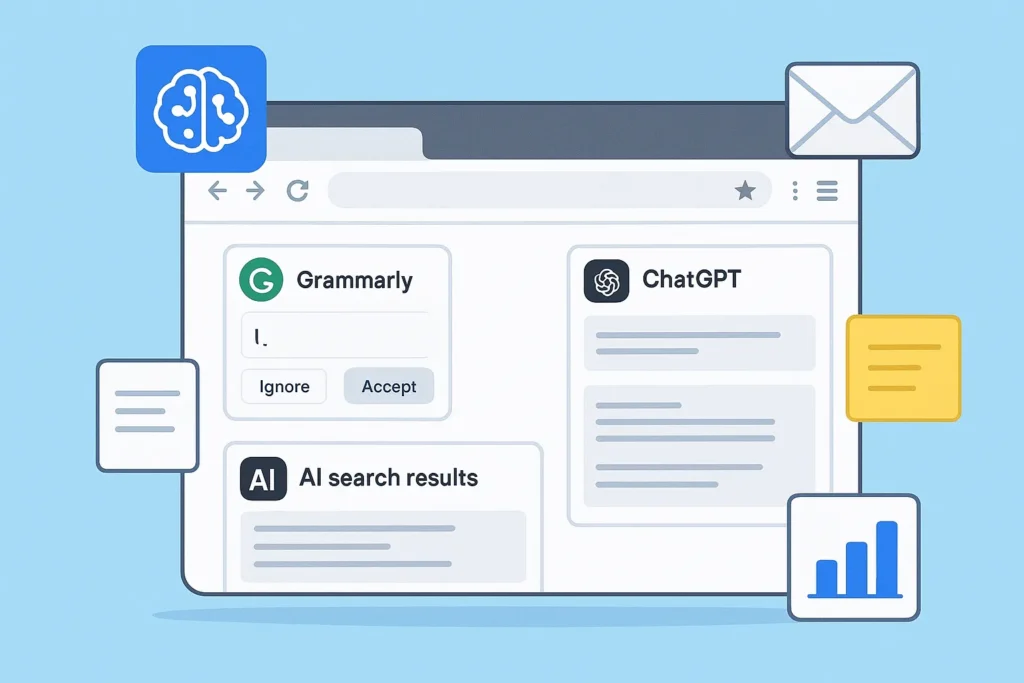
Artificial Intelligence (AI) is no longer a futuristic dream—it’s already here, making our daily tasks easier and smarter. One of the best ways to experience AI in action is through Chrome extensions powered by AI.
Whether you’re a student, content creator, marketer, or entrepreneur, AI-powered Chrome extensions can help you save time, improve productivity, enhance writing, and even generate new ideas.
In this blog, we’ll explore the must-have AI Chrome extensions of 2025, their features, and how they can benefit you in everyday life.
Why Use AI Chrome Extensions?
1. Time-Saving Automation
AI handles repetitive tasks like summarizing articles, drafting emails, and proofreading content.
2. Boost Productivity
From scheduling to research assistance, these extensions optimize your workflow.
3. Improve Accuracy
AI-powered grammar checkers, fact-checkers, and writing tools ensure professional results.
4. Cost-Effective Solutions
Most AI Chrome extensions are free or budget-friendly compared to standalone apps.
Top Must-Have AI Chrome Extensions in 2025
1. GrammarlyGO – Your Smart Writing Assistant
- Features: AI-enhanced grammar checks, tone adjustments, and sentence rewrites.
- Benefits: Perfect for students, writers, and professionals who want polished, error-free writing.
- Example: Drafting emails that sound professional or rewriting social media posts for better engagement.
2. ChatGPT for Chrome – AI at Your Fingertips
- Features: Directly access ChatGPT in your browser for quick responses, research, or content creation.
- Benefits: Saves time by eliminating the need to switch tabs for AI-powered assistance.
- Example: Summarizing a webpage or generating blog outlines instantly.
3. Jasper Everywhere – Content Creation Made Easy
- Features: AI-driven content suggestions, copywriting templates, and idea generation.
- Benefits: Ideal for marketers, bloggers, and entrepreneurs.
- Example: Writing ad copy, captions, or product descriptions on the go.
4. Wordtune – Smarter Sentence Rephraser
- Features: AI-based rephrasing, tone adjustment, and clarity improvements.
- Benefits: Great for professionals who want clear, impactful communication.
- Example: Turning a long, complex sentence into a concise and engaging one.
5. Otter.ai Chrome Extension – Meeting Transcriptions
- Features: Real-time transcription of meetings and video calls.
- Benefits: Perfect for remote workers, business teams, and students.
- Example: Automatically generates meeting notes during a Zoom call.
6. Perplexity AI Search – Smarter Google Alternative
- Features: AI-powered search results with summaries and reliable citations.
- Benefits: Saves time in research by cutting through irrelevant results.
- Example: Students can get clear, summarized answers instead of scrolling through multiple web pages.
7. Compose AI – AI-Powered Email Writing
- Features: Auto-completes emails, drafts replies, and suggests improvements.
- Benefits: Saves hours of typing repetitive emails daily.
- Example: Business owners can use it to quickly reply to client queries.
8. Fireflies.ai – AI Note-Taker
- Features: Captures, transcribes, and summarizes calls directly from your browser.
- Benefits: Keeps track of important discussions without manual note-taking.
- Example: Sales teams can analyze client calls to extract key insights.
9. Copy.ai Chrome Extension – Instant Marketing Copy
- Features: AI-generated ad copy, headlines, blog intros, and captions.
- Benefits: Helps small businesses and marketers create persuasive content faster.
- Example: Crafting catchy product descriptions for an e-commerce website.
10. Glasp – AI-Powered Web Highlighter
- Features: Highlight and save insights while browsing, then get AI summaries.
- Benefits: Great for students, researchers, and professionals.
- Example: Highlighting key parts of a research paper and receiving a summarized version.
How to Choose the Right AI Chrome Extensions
- Define your needs: Writing, productivity, research, or meetings.
- Check pricing: Many offer free versions with premium upgrades.
- Ease of use: Look for beginner-friendly extensions.
- Privacy & Security: Always review permissions before installing.
Benefits of Using AI Chrome Extensions
✅ Automates repetitive tasks
✅ Enhances creativity and writing
✅ Improves focus and productivity
✅ Saves money on premium software
✅ Accessible anytime while browsing
Conclusion
AI-powered Chrome extensions are no longer “nice-to-have”—they’re essential for anyone who wants to work smarter in 2025. Whether you’re writing, researching, managing meetings, or creating content, these extensions can save you time and energy while boosting your efficiency.
Start by adding a few of the must-have AI Chrome extensions mentioned above and see how they transform your daily workflow.
FAQ’s
1. What are AI Chrome extensions?
AI Chrome extensions are browser add-ons that use artificial intelligence to automate tasks, improve writing, summarize content, and boost productivity.
2. Are AI-powered Chrome extensions free?
Many are free with limited features. Premium versions often provide advanced tools for professional use.
3. Which AI Chrome extension is best for students?
Tools like Grammarly, Glasp, and Perplexity AI are excellent for writing, research, and studying.
4. Can AI Chrome extensions improve productivity?
Yes, they automate repetitive tasks like email drafting, note-taking, and proofreading, helping users save hours each week.
5. Are AI Chrome extensions safe?
Most are safe, but always install from trusted sources and review permissions carefully.
6. What’s the best AI Chrome extension for business owners?
Extensions like Jasper, Compose AI, and Fireflies.ai are ideal for marketing, communication, and team collaboration.
7. Do AI Chrome extensions work offline?
Some features may work offline, but most require an internet connection to access AI models.
Disclaimer
This blog is for educational purposes only. The tools and extensions mentioned are suggestions. Always review privacy policies and test the tools to ensure they fit your personal or business needs.
Internal Link :-
- GPT-5 and Apple Intelligence Power iPhone 17 as Apple Declares Older iPhones Vintage
- Best AI Tools for Students in 2025: Boost Productivity, Learning & Creativity
- ChatGPT Alternatives You Should Try in 2025
- Top 10 Gadgets Under $100 That Make Everyday Life Easier
- How to Use AI to Save Time at Work: Smart Tools & Strategies



I don’t think the title of your article matches the content lol. Just kidding, mainly because I had some doubts after reading the article.